Cookie value targeting lets you show campaigns based on specific cookie values stored in a visitor’s browser—such as login status, membership level, or values set by other marketing tools. This helps you deliver highly personalized campaigns—for example, showing exclusive content to logged-in users or offering a VIP discount to returning customers with a specific tag.
With PageUni apps, setting up cookie value targeting is simple and flexible. You can create cookie-based rules in just a few clicks.
Check out this guide to learn how to add a cookie value targeting rule to your campaign.
Once you’ve added the targeting rule, you can setup how it checks the cookie value. Cookie value targeting uses targeting rule conditions to decide whether the rule should apply. Check this article to learn more.
A cookie value targeting rule includes one or more condition groups. These groups follow OR logic—if any group passes, the rule is matched. Within each group, conditions follow AND logic—all must be met for the group to pass.
Here are a few real-world examples to help you better understand how it works.
Note: The cookie key used in the example—like "user-auth-token"—is just for reference. Be sure to replace it with the actual cookie key used on your site.
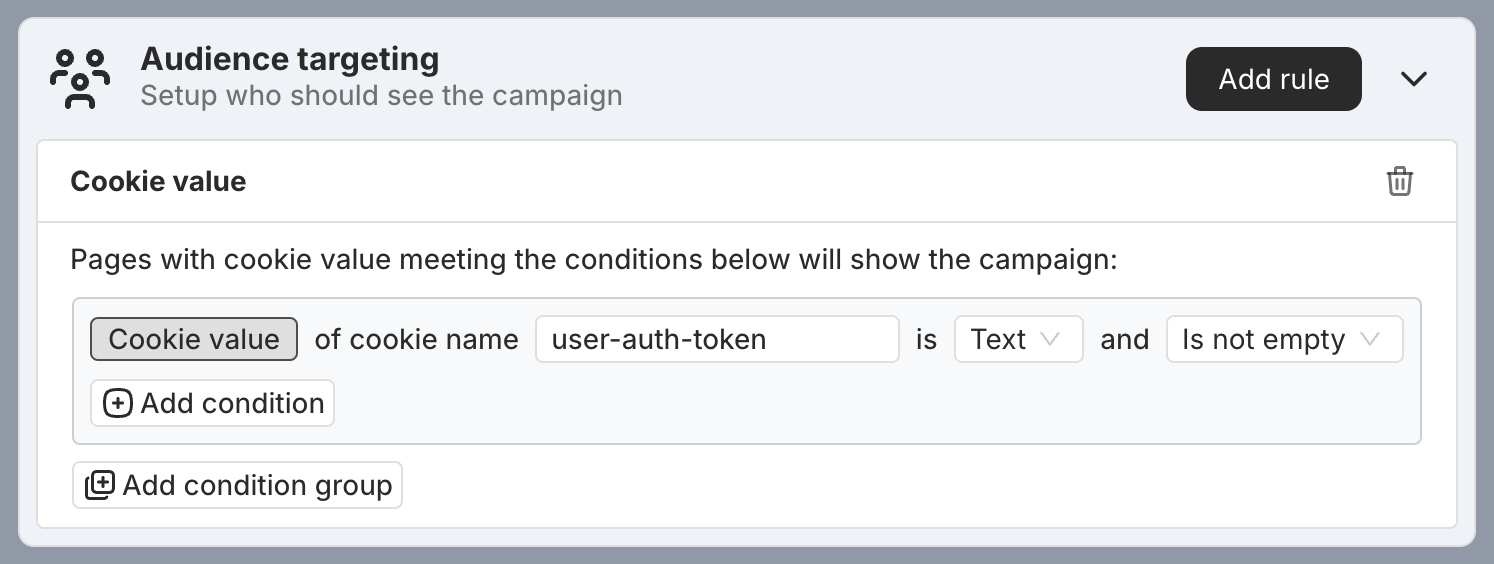
Example 1: The visitor’s "user-auth-token" cookie value must not be empty. This is typically used to check if the visitor is logged in, so you can show campaigns only to logged-in users.
As long as the "user-auth-token" cookie has a value, it will pass the targeting rule. If the cookie value is empty or not set at all, it will not pass the rule.
Example 2: The visitor’s "vip-level" cookie must not be empty and must be greater than or equal to 3. This is typically used to check if the visitor is a VIP user at level 3 or higher, so you can show campaigns only to those users.
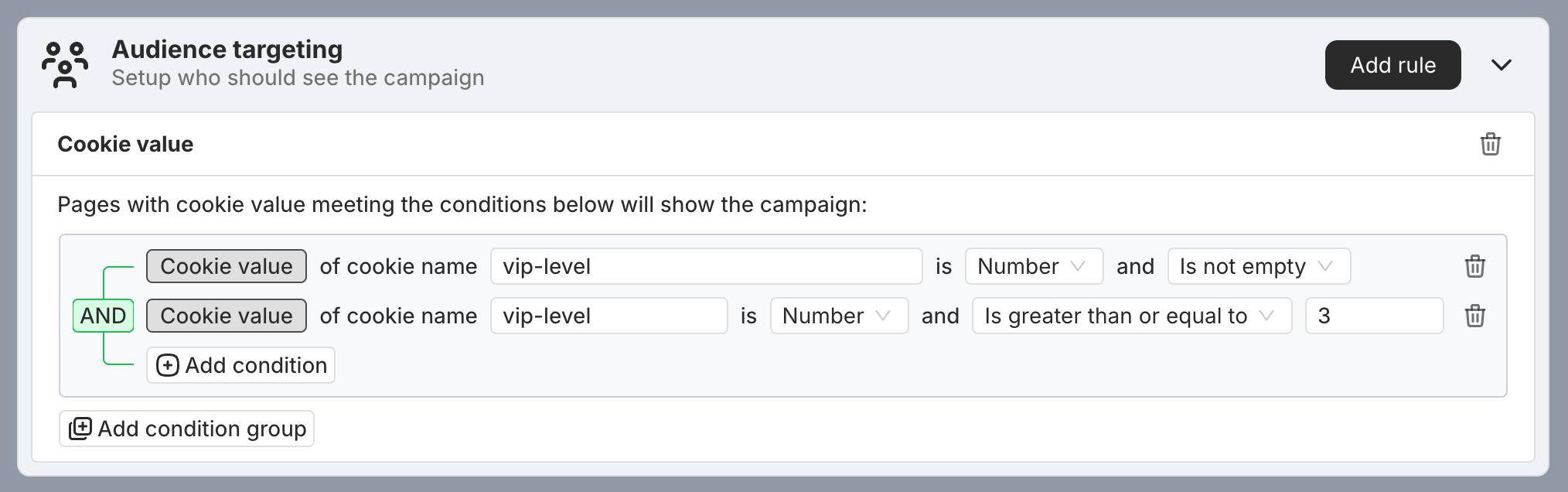
As long as the "vip-level" cookie value is a number greater than or equal to 3, the targeting rule will pass. In all other cases—such as if the cookie doesn’t exist or the value is 2—the rule will not pass.
Example 3: The visitor’s "favorite-products" cookie must contain the product ID "pidxxxx", or their "products-in-cart" cookie must include it. This setup is helpful when you want to show a campaign to users who’ve shown interest in a specific product—helping increase the chances of a purchase.
In this setup, there are two condition groups linked by OR. If either group meets all its conditions, the rule applies.
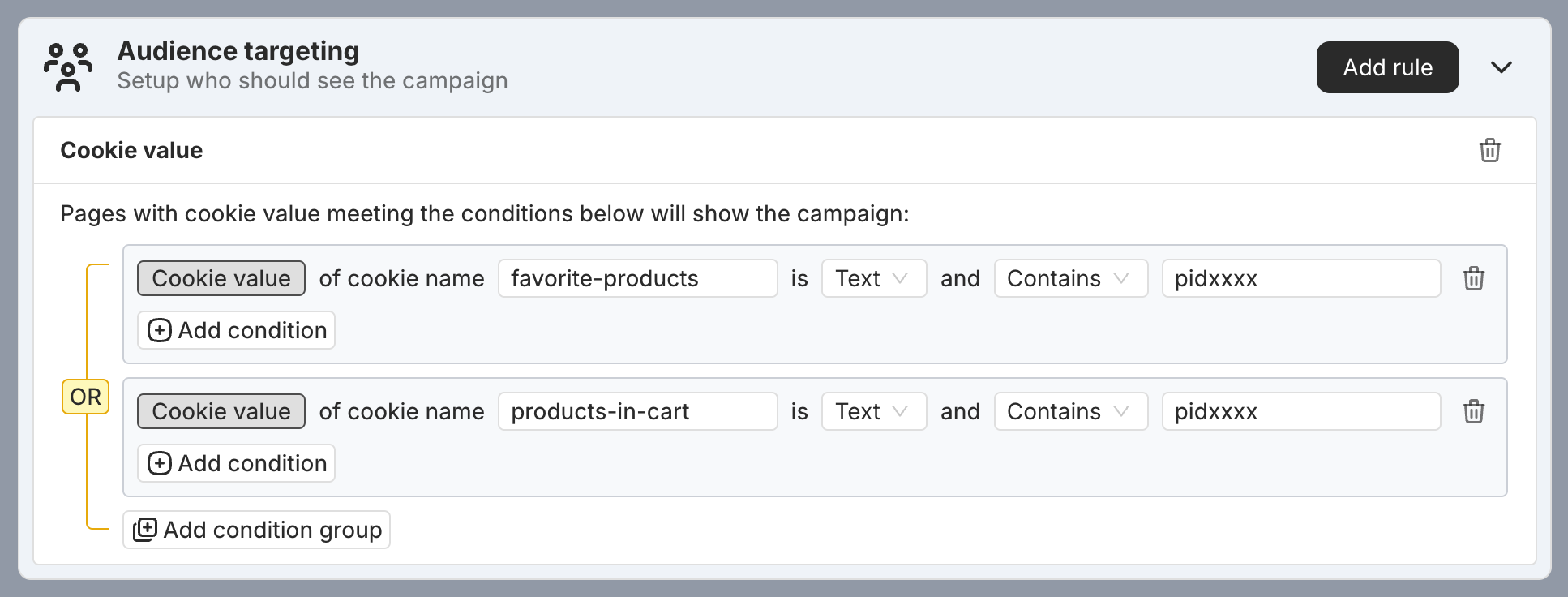
The following cookie values will pass the targeting rule:
-
favorite-products: pidxxxx,pidyyyy,pidzzzz products-in-cart: [empty]
-
favorite-products: [empty] products-in-cart: pidxxxx,pidyyyy,pidzzzz
The following cookie values will not pass the targeting rule:
-
favorite-products: [empty] products-in-cart: [empty]
-
favorite-products: pidyyyy,pidzzzz products-in-cart: pidyyyy,pidzzzz